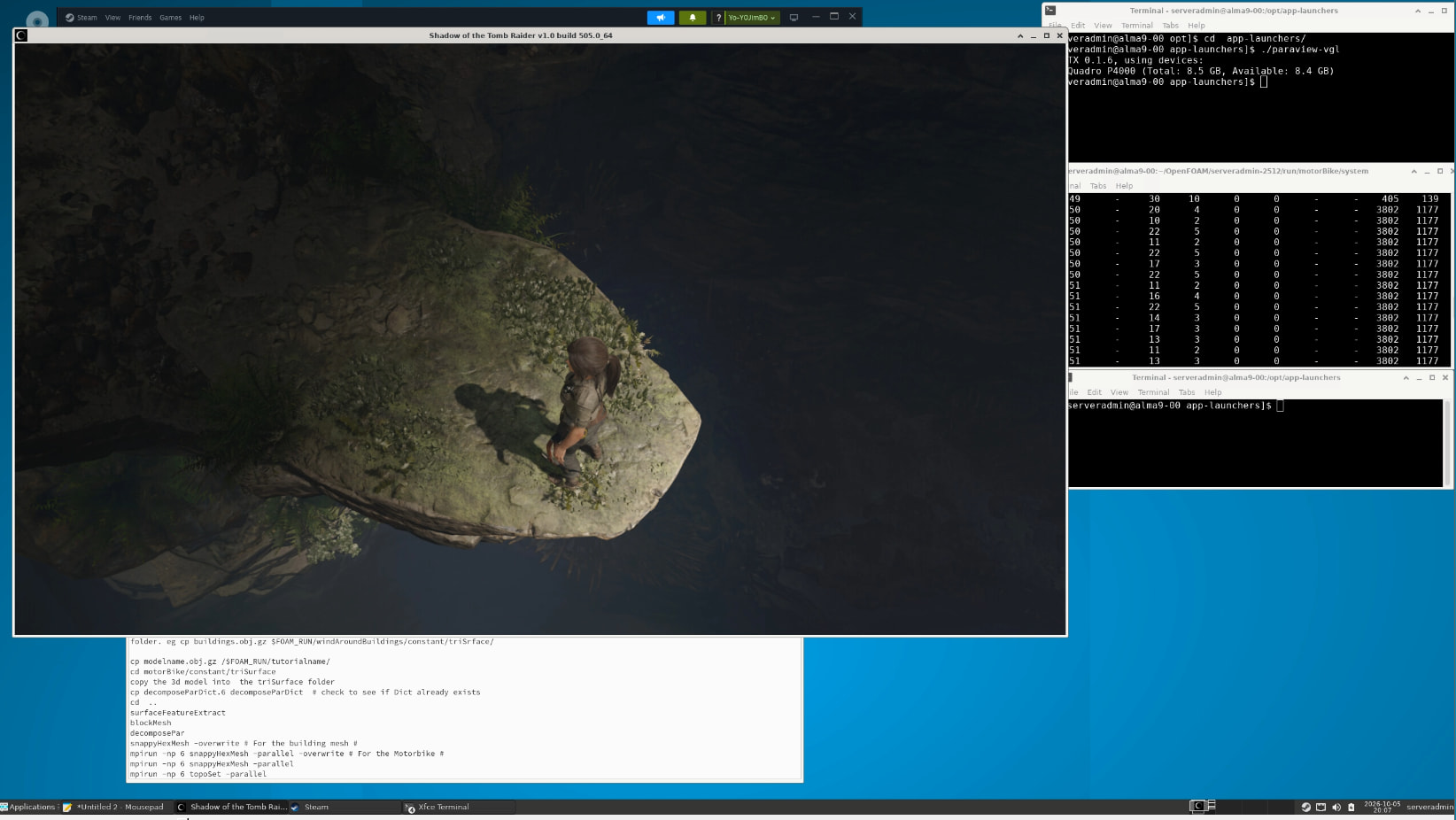
Testing Steam/Proton gaming in a ThinLinc session just to see what the performance is like and whether its viable test/benchmark and have hit a mouse-input issue that makes games effectively unplayable.
Only tested 2 games DOOM 2016 and Shadow of the Tomb Raider. Steam can’t be run via virtualGL even games made with OpenGL such as DOOM 2016/Eternal. The NV P4000 is detected and passed through to both games.
As soon as the mouse is moved during gameplay, the camera spins/jumps uncontrollably, while keyboard input remains normal. Which is the same as Valve’s Proton #6501– “Proton games played through Steam Link unplayable due to mouse input corruption”, which was also reported with VNC. The issue appears related to relative mouse input/cursor capture in remote sessions.
In the ThinLinc sessions, xinput reports the mouse as a TigerVNC pointer and shows normal Motion/RawMotion events, although these are absolute X/Y coordinates rather than relative deltas.
The same issue impacts XRDP/xorgxrdp sessions, so this isn’t necessarily ThinLinc-specific.
Has anyone encountered similar Proton/Wine mouse-capture issues with ThinLinc, or found a workaround for games requiring relative mouse input?
Other issues: Audio: In SOTTR - audio is breaking up and dropping from start to finish. Viewport: In windowed mode the viewport splits into upper and lower halves, with one half showing an older frame while the other updates. WindowMode: Mouse appears to jump out of the thinlinc session.
Regarding relative mouse movements, the relevant bugzilla entry for ThinLinc is here:
However, it seems likely that solving this would be done as part of the Wayland work we are doing, rather than putting the effort into fixing it on X11.
How does Bug 7794 affect 3D modelling applications such as Blender, Houdini and Maya, particularly sculpting and other workflows that require precise viewport interaction? How are Wacom tablets and styluses, including pressure-sensitive input, and 3Dconnexion SpaceMouse/CAD Mouse devices affected?
Unfortunately, I wasn’t able to test tablets or styluses during my eval.
This also doesn’t appear to be a ThinLinc-specific issue. Bug 7794 discusses similar problems with other remote desktop products, and XRDP has the same issue. Amazon DCV has also addressed this class of problem: its DCV 2022.1 release (29 June 2022) fixed an issue where relative mouse motion on Linux servers did not work as expected in some applications.
If this limitation affects 3D modelling applications and specialist input devices, it deserves further investigation. Precision viewport interaction is fundamental to professional VFX workflows, particularly sculpting and other tasks requiring controlled mouse movement or tablet pressure sensitivity.
The wider concern is that much of the Linux workstation infrastructure used across the VFX/GFX sector remains based on the VFX Linux Reference Platform, where X11 is still central to production workflows - SideFX Houdini and Foundry Nuke are only supported on EL9 +X11 . Moving to Wayland is therefore not a straightforward solution for many if not all studios.
These devices aren’t currently supported in ThinLinc, so they’re not really affected by bug 7794 at all.
We’d very much like to have support for them, as well as relative mouse movements, and a bunch of other things related to VFX/GFX workflows as well. Which of these make it into the product, and when, really depends on how they get prioritised relative to other features and improvements we’re currently working on.